ChatGPT Can Now Keep a Character On-Model
Two more free skills. On-brand icons from a hex code, and one character that never drifts.
 The result
Same character, a different animal every time.
Done this kind of thing before? Trying it yourself.
Try it yourself
Make one icon and one character, your way
Here's the goal and the kit. Hand it to ChatGPT or any AI and work it out. The steps below open on a hint if you get stuck.
- The goal
- A 3D icon in your two brand colors, and an otter that looks identical in two different activities.
- Time
- About 10 minutes if it goes well
Here are two illustration skills from the madebychip-illustration-skills repo: Premium 3D Claymorphism and Soft 3D Otter. Each has a SKILL.md, a prompt-library.md and a references folder. Set up one ChatGPT Project for each. Then tell me exactly what to type to (1) make a gift icon in my brand colors, primary #______ and accent #______, and (2) make the otter jump rope in an orange outfit, with the hero reference attached to the message.
Check your result
- The icon uses your two colors, with the same soft matte material and studio lighting
- The otter has the same face and proportions in every image
- You attached the hero reference to the message, not just to Sources
Step 1
Grab the two skill folders
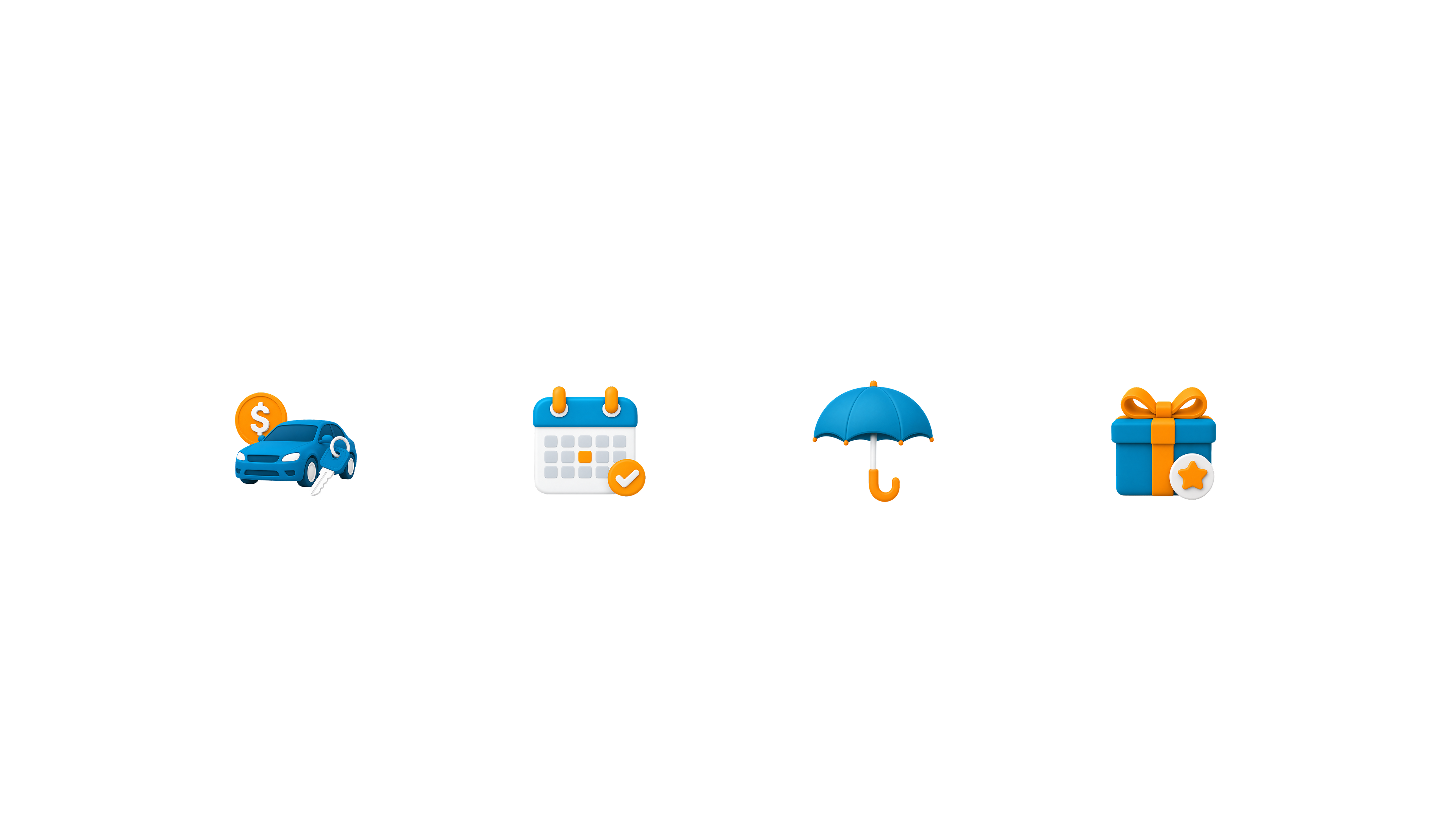
Premium 3D Claymorphism makes on-brand product icons. Soft 3D Otter makes one fixed character doing anything you describe. Each folder holds the same three things.
Step 2
Set up the icon skill and generate one
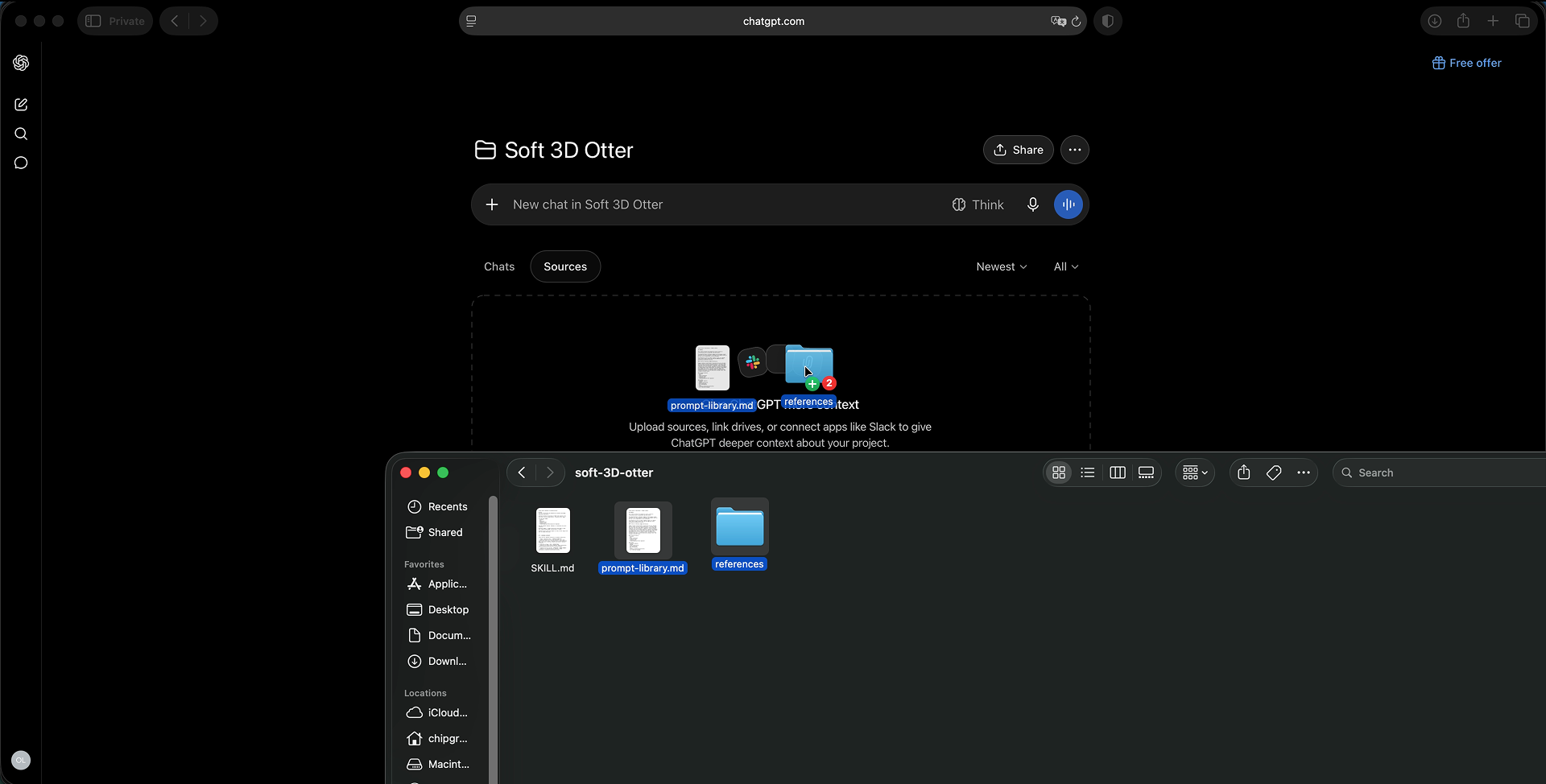
Make a ChatGPT Project. Paste SKILL.md into its Instructions, then add prompt-library.md and the reference images to Sources. It locks the rounded geometry, soft matte material and studio lighting, so you never describe them again.
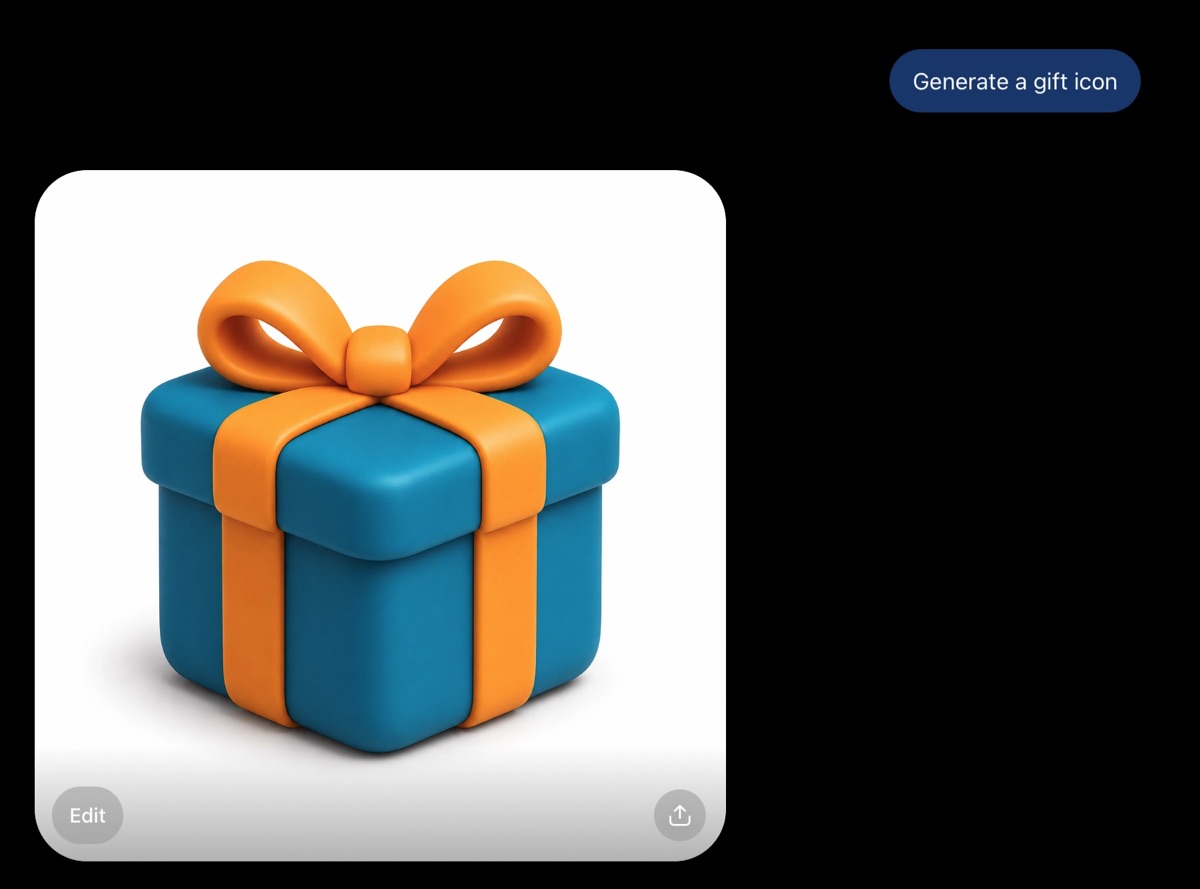
Now type “generate a gift icon” and nothing else. You get the two default brand colors baked into the instructions, teal and orange.
Step 3
Reskin it with two hex codes
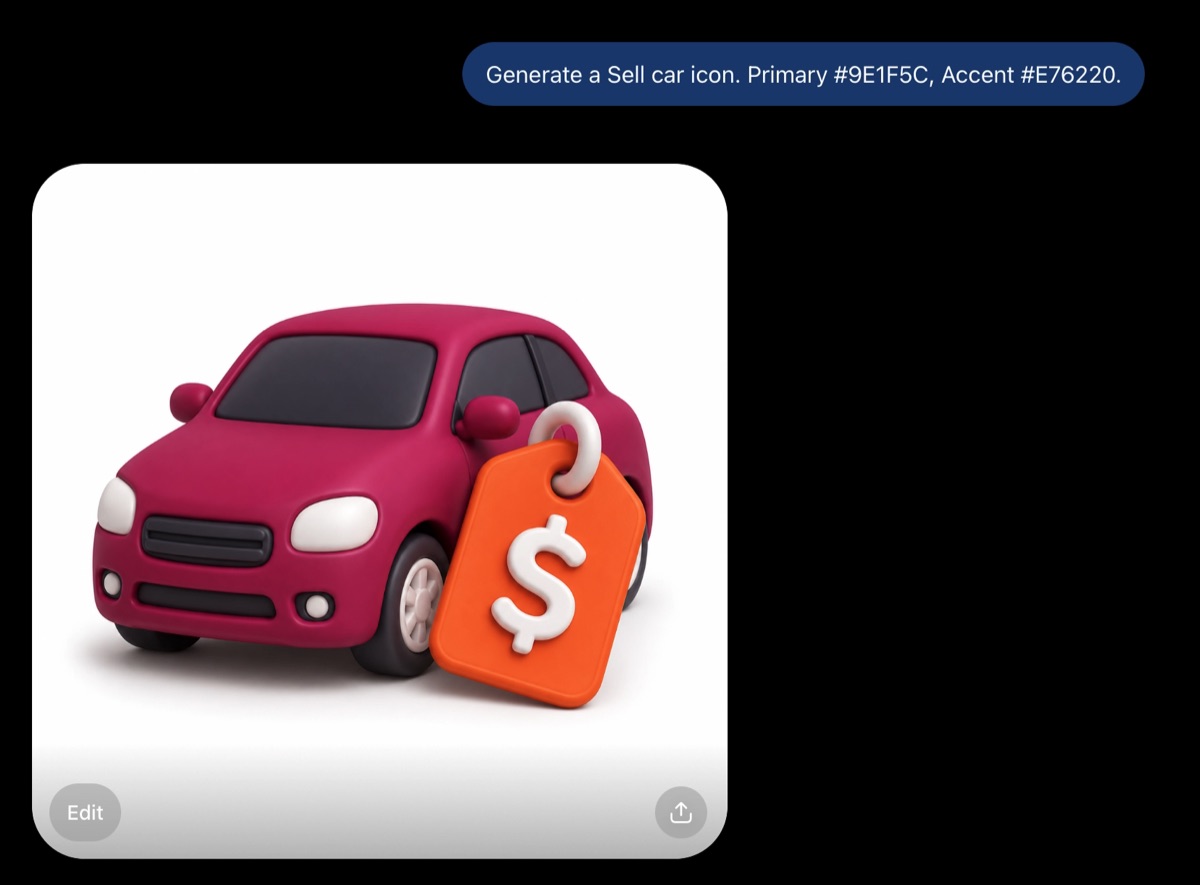
The instructions lock geometry, material and lighting, but treat color as a variable. Put a primary and an accent hex code in the same line and the icon comes back in your palette.
Generate a Sell car icon. Primary #9E1F5C, Accent #E76220
One instructions file, any subject, and your brand colors travel with it.
Step 4
Set up the otter skill
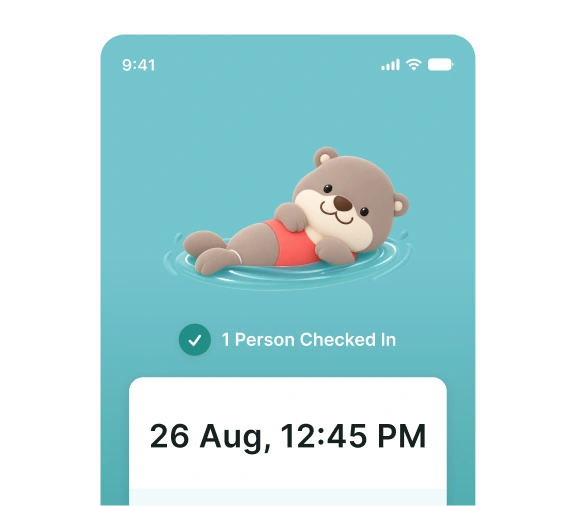
Make a second Project. SKILL.md goes into Instructions. prompt-library.md and the four reference images go into Sources. The otter is inspired by the one from the TraceTogether app, referenced for inspiration only.
Step 5
Attach the hero reference to every message
Ask for “an otter jumping rope wearing orange” with the references only in Sources, and you get a different otter back every time. ChatGPT knows the file is there but doesn't reliably use it.
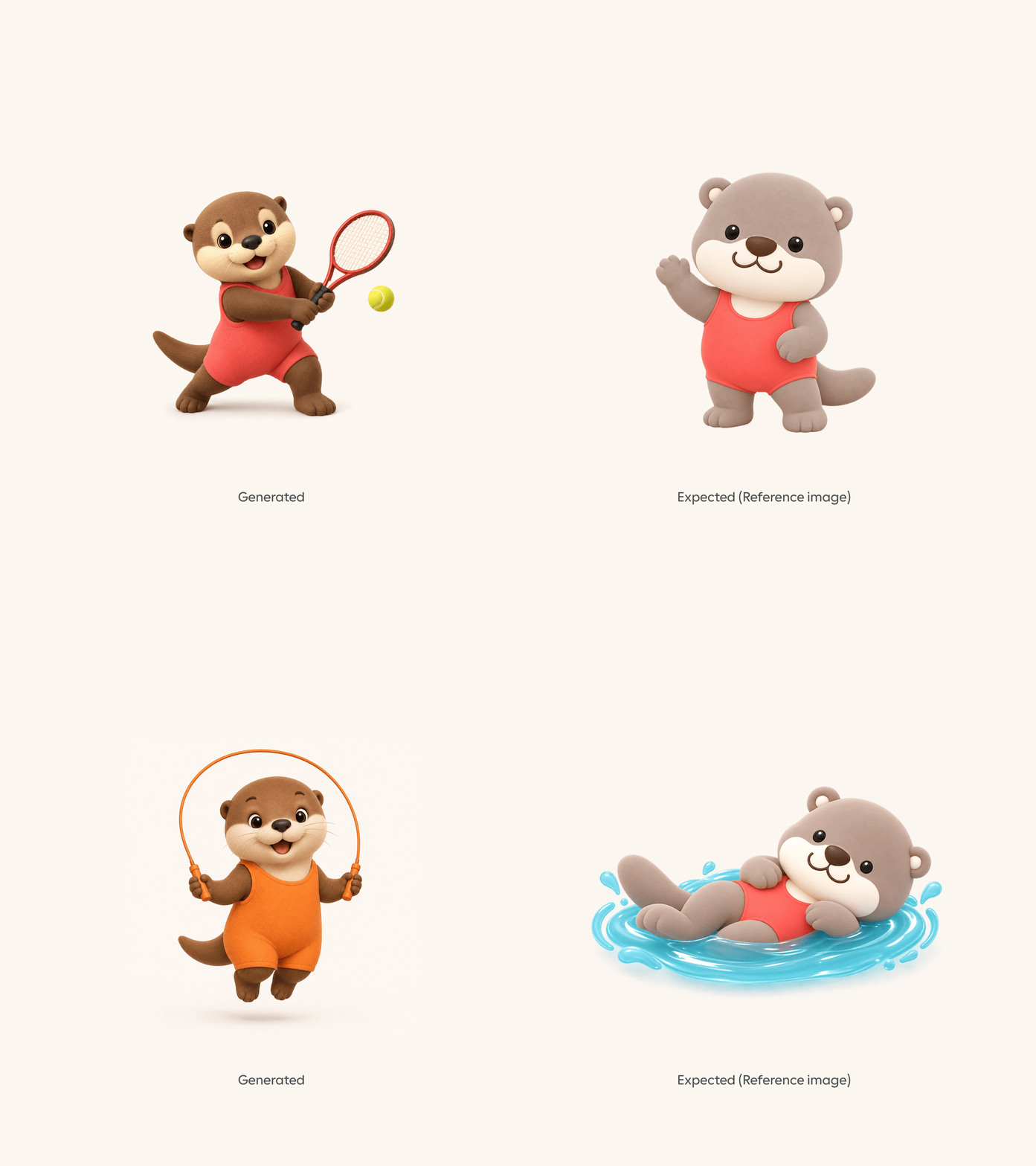
The fix: attach the hero reference image directly to the message, every single generation, even though it's already in Sources. Same prompt, and the character locks in right away.
Step 6
Change the activity and outfit
Once the character is locked, push it. A different activity and a different outfit color, and it's still unmistakably the same otter.
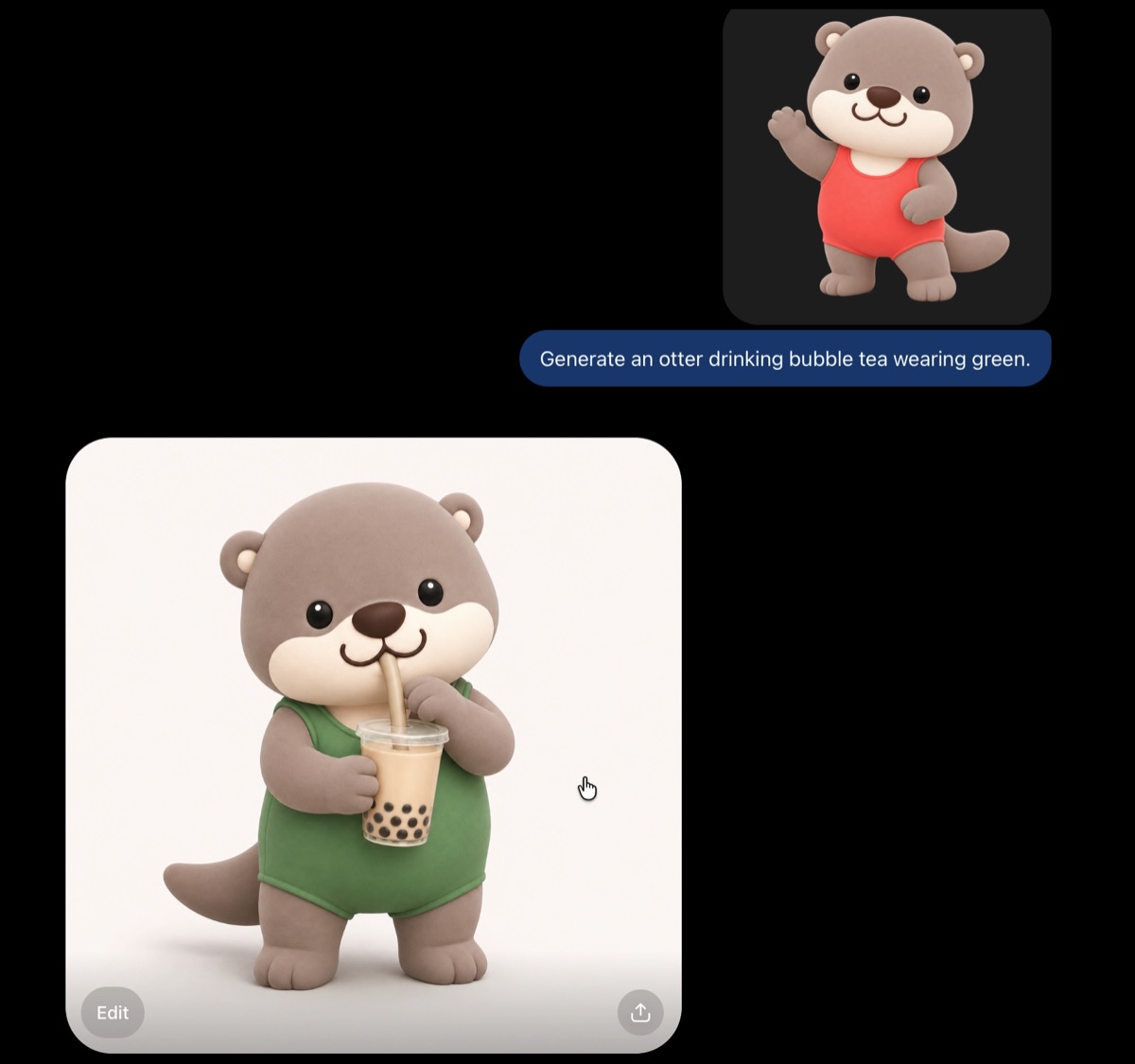
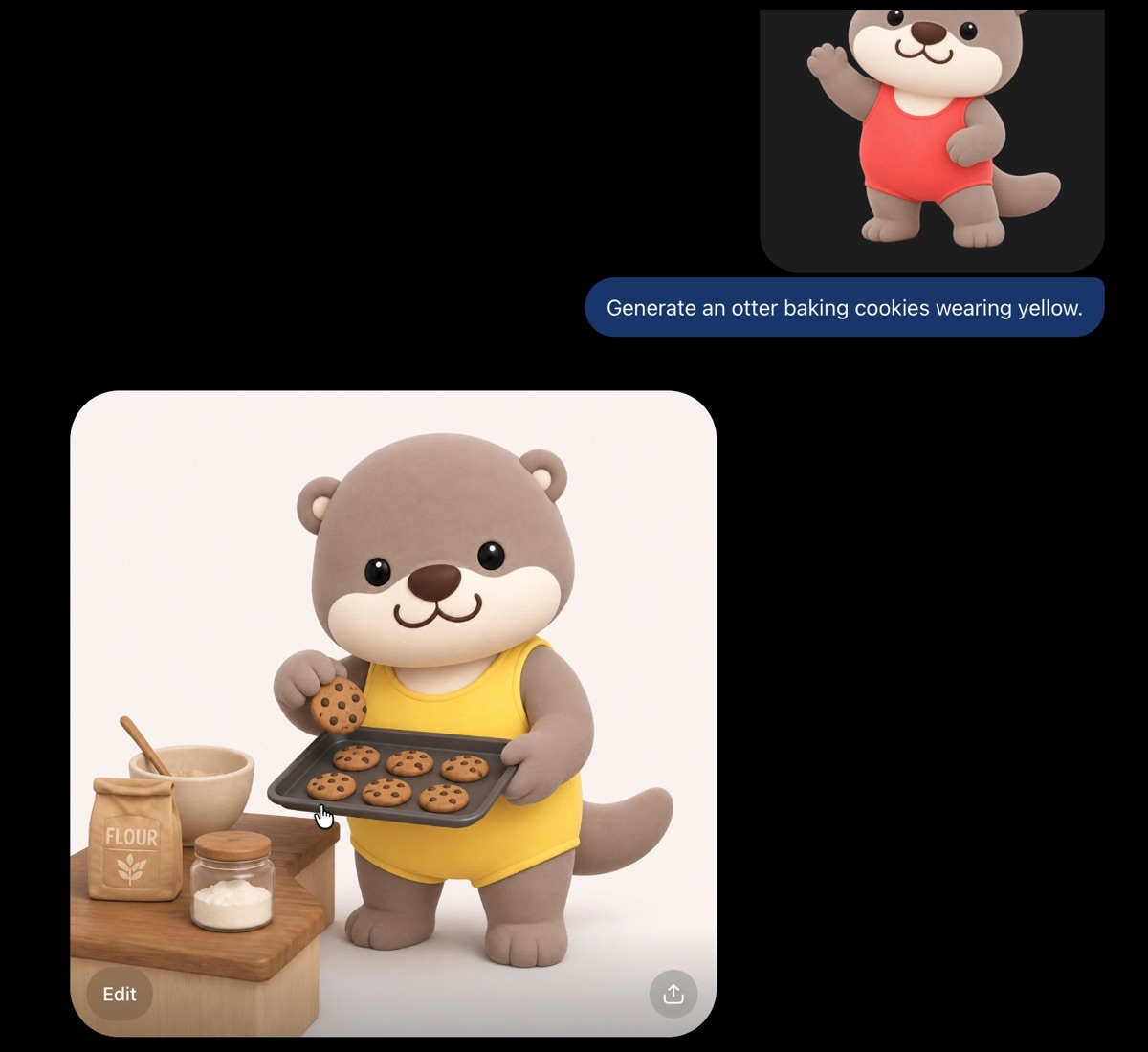
Re-attach the reference each time. This is a standing habit, not a one-time setup step.
Gut check
Your otter looks different on every generation. What fixes it?
ChatGPT doesn't reliably pull images from Sources when it renders. It knows the file exists, but often invents a new character instead. Attaching the reference to the message is what locks it in.
Honest verdict
When to use it, and when not to
- Use it for
- On-brand 3D icons for a whole team, and one character that keeps its face and proportions across any pose.
- Skip it for
- Passing off the Carro example or the TraceTogether-inspired otter as your own brand. Both are shown for demonstration only and aren't affiliated with this project.
- Careful with
- ChatGPT still won't reliably read images from Sources. Attach the hero reference to every message, forever, not just at setup.
Take it to work
Your Monday checklist
On your laptop 0 of 5 done
“Email this to myself” opens your own email app with a link back to this cheat sheet. Nothing is sent from this site.
Workflow done.
No streaks and no guilt. Come back whenever you have ten minutes.