

One Brief, Two Designers
I redesigned Bitwarden's onboarding by hand. Then Claude did it too. Here's who got what right.
 The result
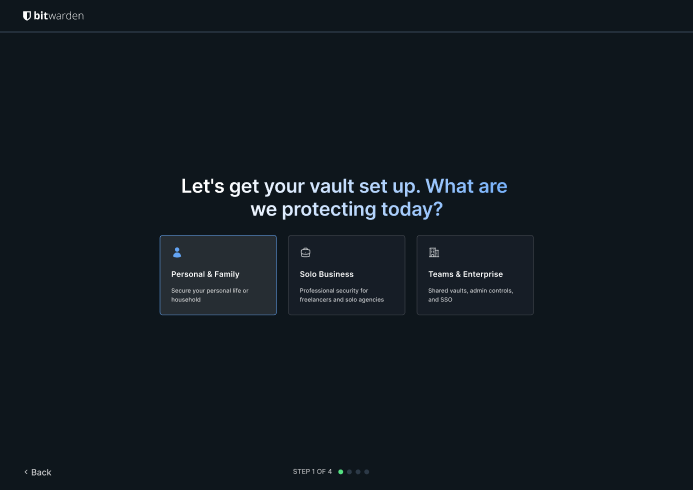
An onboarding that asks for money, then trust, then commitment.
Done this kind of thing before? Trying it yourself.
Try it yourself
Redesign one flow, then ask AI to push back
Here's the goal. Hand it to Claude or any AI and work it out. The steps below open on a hint if you get stuck.
- The goal
- An onboarding flow you designed yourself, pressure-tested by three AI directions you then judge.
- Time
- About 10 minutes to try, longer to design
Here's my onboarding flow, screen by screen. My goals: lead with value, personalize early, cut friction, show don't tell, end with a habit. Give me three genuinely different strategic directions, not variations on one idea. Then tell me which step in my flow you'd question, and why.
Check your result
- The three directions are genuinely different strategies
- You can say why you'd reject at least one of them
- You checked who the flow leaves out
Step 1
See what's broken
Click "Get started free" on Bitwarden's homepage and you land on a pricing page. The free plan you were promised isn't visible, and the biggest button says "Create Premium Account." The first thing a new user feels is a bait and switch.
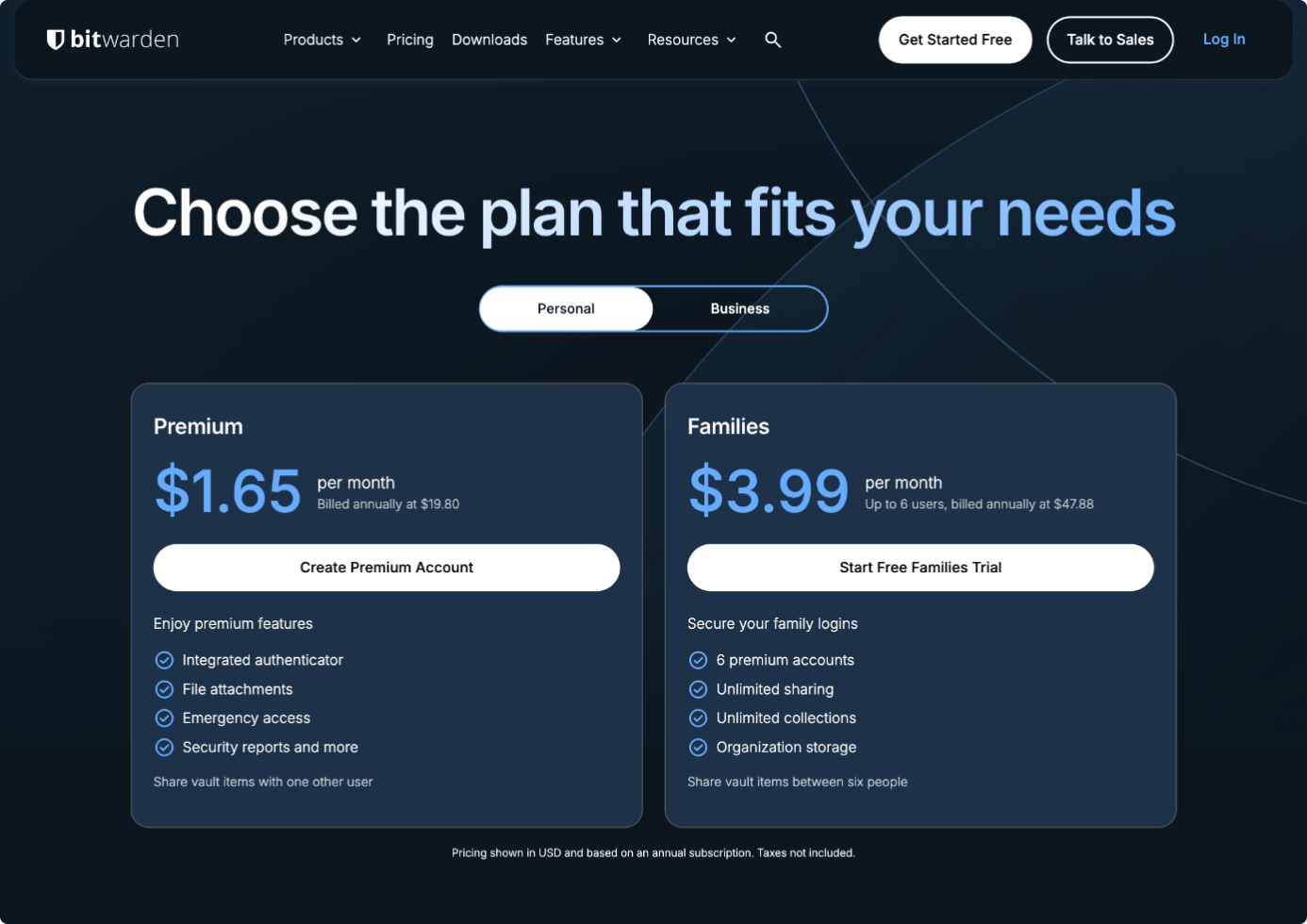
Then it asks you to install the extension before you have any reason to want it. After that comes a tooltip tour and an empty vault, with importing your passwords left as step two of a checklist. It asks for money, then trust, then commitment, and saves the payoff for homework.
Step 2
Redesign it by hand first
First I cut the pricing wall. Instead of "pick a plan," one question: how are you planning to use this? Server region became two plain cards that spell out the difference. And the structural change that matters most: import comes before the extension.
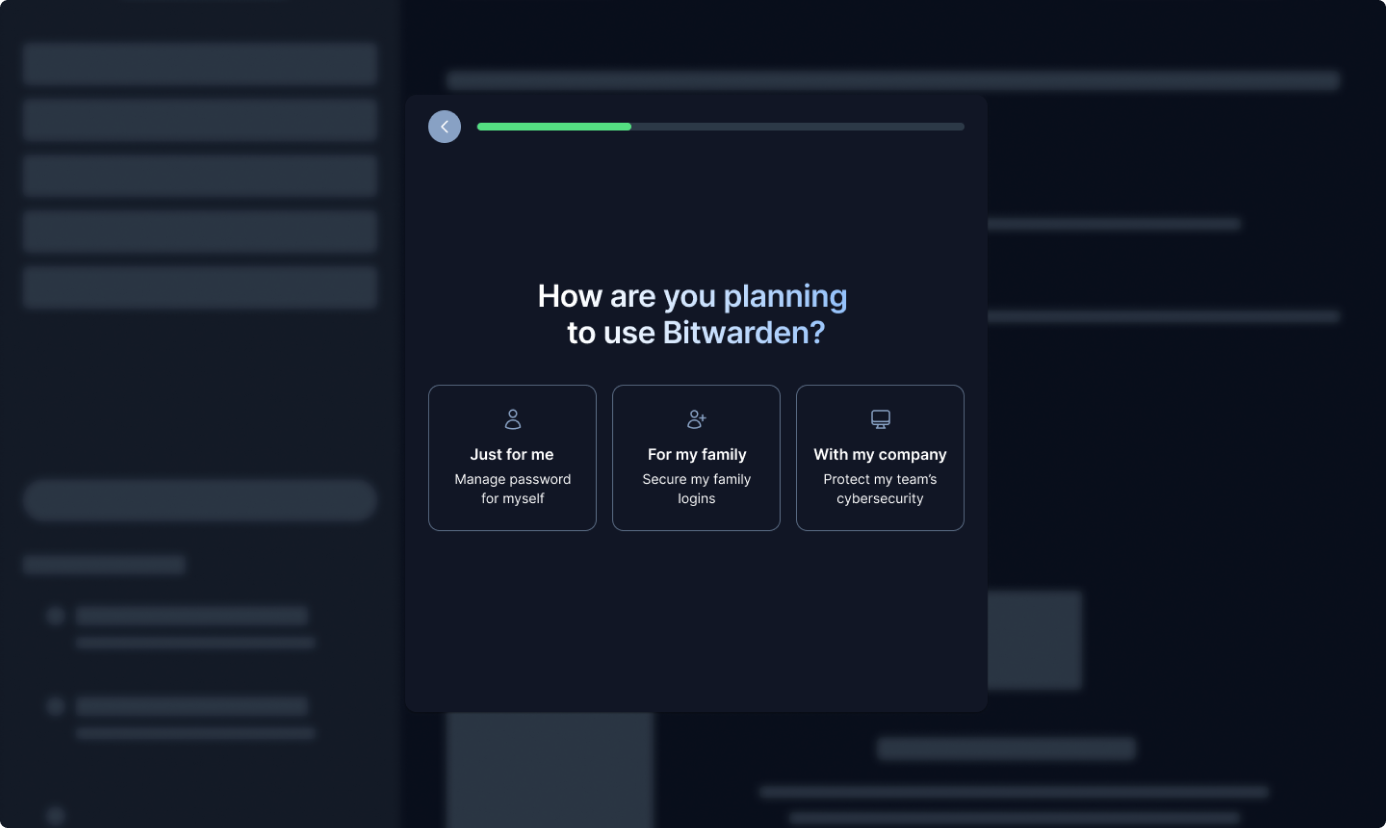
I still made people verify their email before continuing. Hold onto that. It comes back.
Step 3
Give Claude the same brief
I dropped all nineteen original screens into Paper, connected Claude to it, and gave it the same five goals I'd set for myself.
Lead with value: does this screen earn its place by giving something?
Personalize early: do we know who we're talking to before we shape the flow around them?
Cut friction: is every step actually necessary, or have we just accepted it?
Show, don't tell: does the user feel the value, or are we just describing it?
End with a habit: does the last screen make coming back feel automatic?
Step 4
Read AI's three directions
A couple of minutes later it came back with three fully-formed directions.
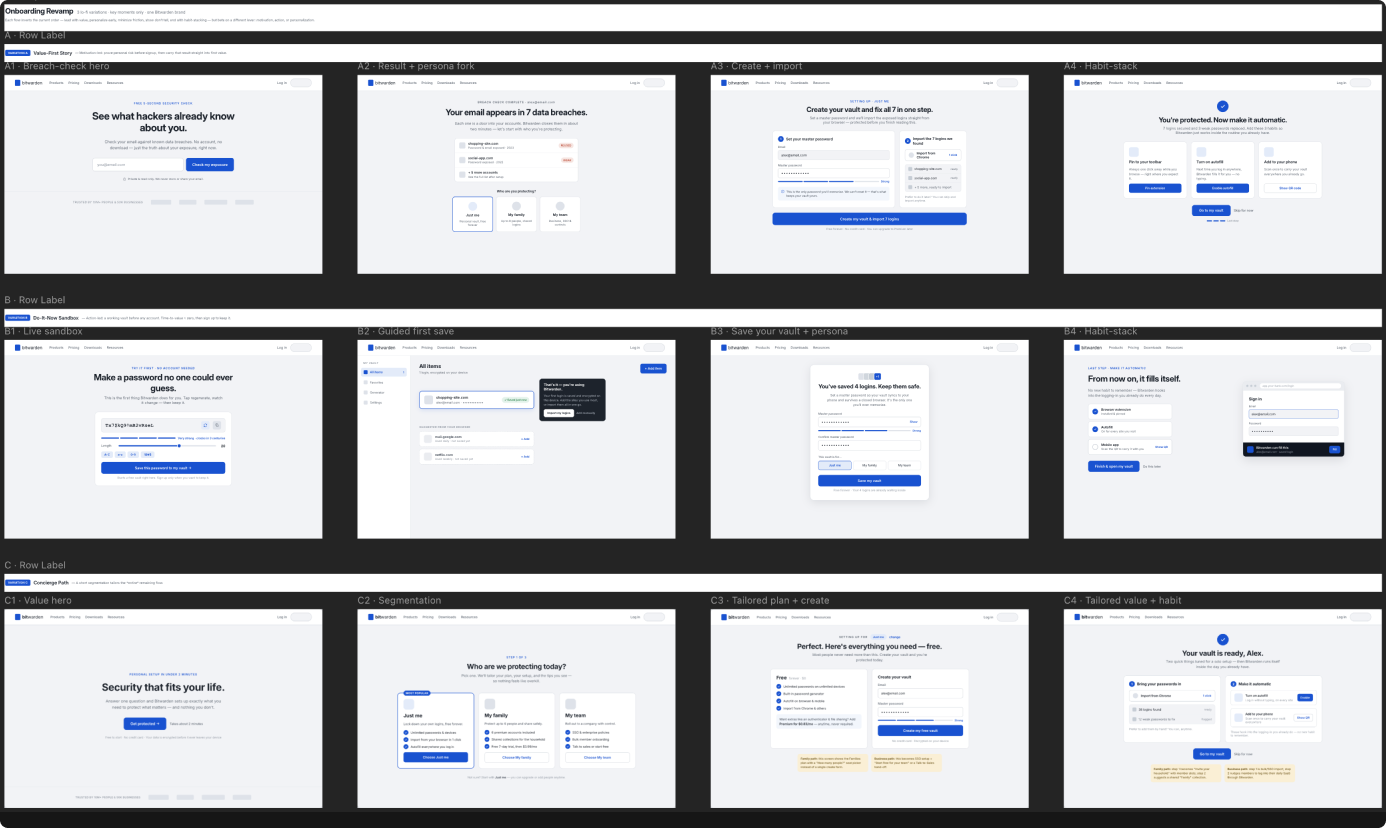
Option A, Value-First Story: open with a breach check. The hook is fear. Option B, Do-It-Now Sandbox: a working password generator before you make an account. Option C, Concierge Path: a "who are we protecting?" question that tailors the rest of the flow.
Step 5
Make the call yourself
A is a trap. Bitwarden's pitch is privacy, and asking a stranger for their email up front contradicts it. B isn't the front door. An IT director rolling it out to five hundred people wants compliance and admin controls. C wins because it works for both ends of the market.
AI also caught me: it pushed back on email verification, and it was right. But it missed the freelancer, a business of one. "My company" implies SSO and a five-seat minimum they'll never touch. So I added a fourth path, Solo Business.
Step 6
Ship the rebuilt flow
It starts with four cards: just me, my family, solo business or my company. The plan screen became two columns. And you click "Start importing" and Chrome's export page opens in a new tab. When you switch back, the screen is already a drop zone waiting for the file.
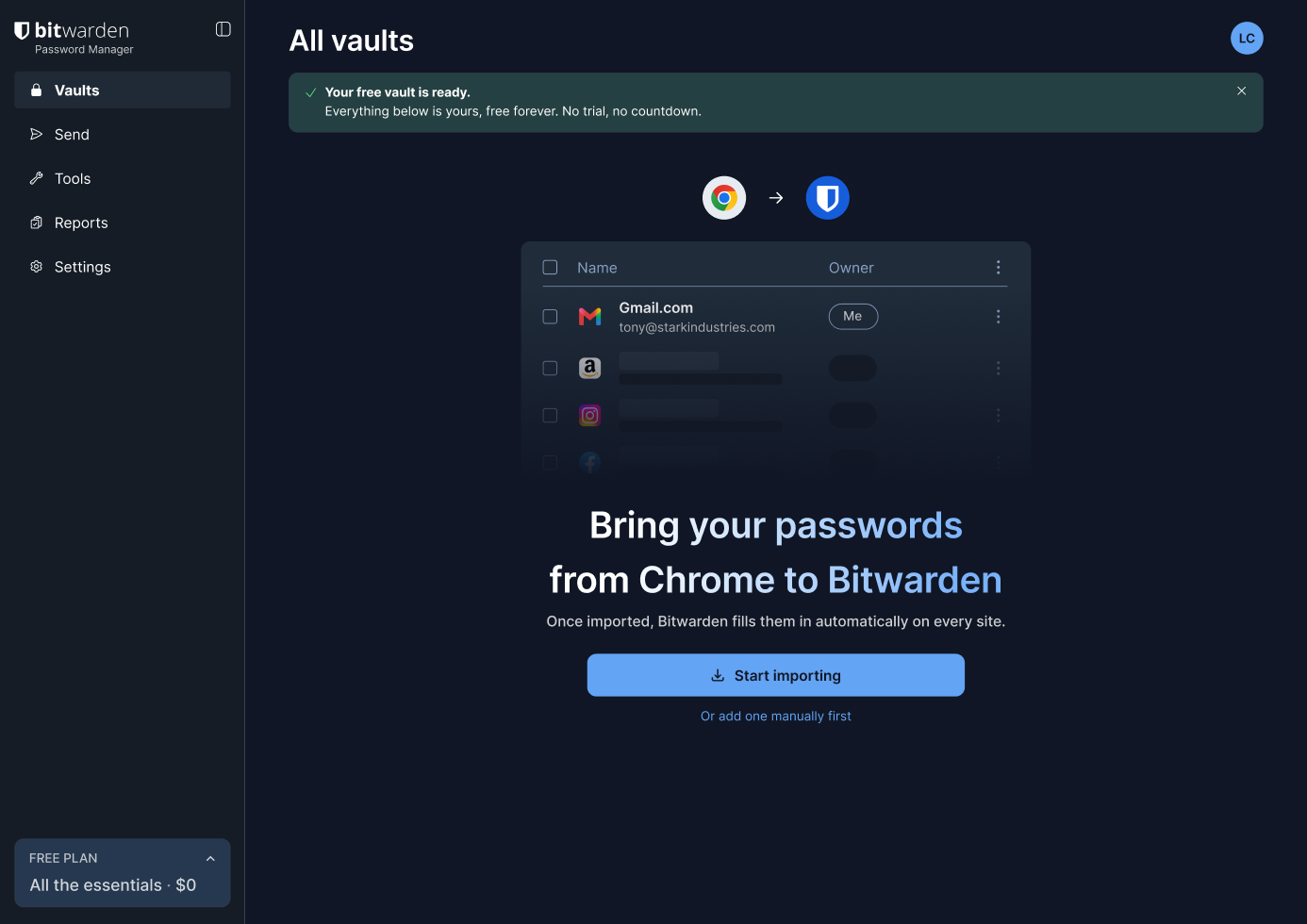
The moment your passwords come in, Bitwarden flags the weak and reused ones. Only then does it bring up the extension. You've felt the payoff, so the big ask makes sense.
Gut check
Which user segment did AI miss entirely?
The solo business owner fell through every AI-generated path. Spotting that gap took knowing the actual user base, not just the problem statement.
Honest verdict
Who won?
- Use AI for
- Three strategic directions in minutes, and catching constraints you've stopped questioning, like email-gating the flow.
- Don't hand it
- The call. It couldn't tell which direction fit a product serving both families and enterprise, or that Option A contradicts a privacy brand.
- Careful with
- Edge cases outside the brief. The solo business owner fell through every path.
Take it to work
Your Monday checklist
Ask these five questions at every screen. If a screen can't answer at least one, it probably doesn't belong in the flow.
At every screen 0 of 5 done
The interactive Figma prototype, annotated wireframes and the five questions. Free, delivered by email.
“Email this to myself” opens your own email app with a link back to this cheat sheet. Nothing is sent from this site.
Workflow done.
No streaks and no guilt. Come back whenever you have ten minutes.