

How a Solo Founder Ships Her Entire Product and Catches AI Slop
Catherine isn't a coder or a designer. She opens her real Figma file and shows the one thing the agents got wrong.
 The result
The agents ship the product. They also ship the slop.
Done this kind of thing before? Trying it yourself.
Try it yourself
Work like a solo founder, your way
Here's the goal. Hand it to ChatGPT or any AI and work it out. The steps below open on a hint if you get stuck.
- The goal
- A clear job to be done, a locked first component picked from real options, and a plan for auditing your own screens.
- Time
- About 10 minutes to plan, longer to build
I'm building [my product] on my own, with no design or coding background. Interview me to pin down the problem it solves and the job to be done it has to hold across the product, my terminals and every chat. Then, for my first component, [component], give me eight design options so I can pick one instead of settling for the first. Finally, list what I should check by hand on my own screens before I automate an audit.Check your result
- You can say the problem and the job to be done in one sentence each
- You picked a component from several options, not the first draft
- You know what you'll check by hand before automating anything
Step 1
Start with the problem, not the tool
Catherine spent twenty years in strategy and product. In every role the first move was to go find customer feedback. She started as a researcher, and the thread since is the same: you always do things to solve customer problems.
That became Annsa, her product. It pulls together unstructured customer feedback, ranks it, and turns it into a roadmap grounded in your codebase. The job never changed: work out what customers want and what to build next.
Step 2
Define the job to be done
The job doesn't stop at the UI. It has to hold across the product interface, the terminals doing the building, and every chat environment she works in. Otherwise the experience stops being one thing and becomes separate tools bolted together.
Her terminals check themselves against the job first, not just whether something looks right.
Step 3
Build the brand before the screens
Her first Figma Make prototype, about a thousand chat iterations in, turned out to be AI slop. "Everybody's product looks like this." So she settled the name, the positioning and what the product explicitly wasn't before rebuilding a single component.
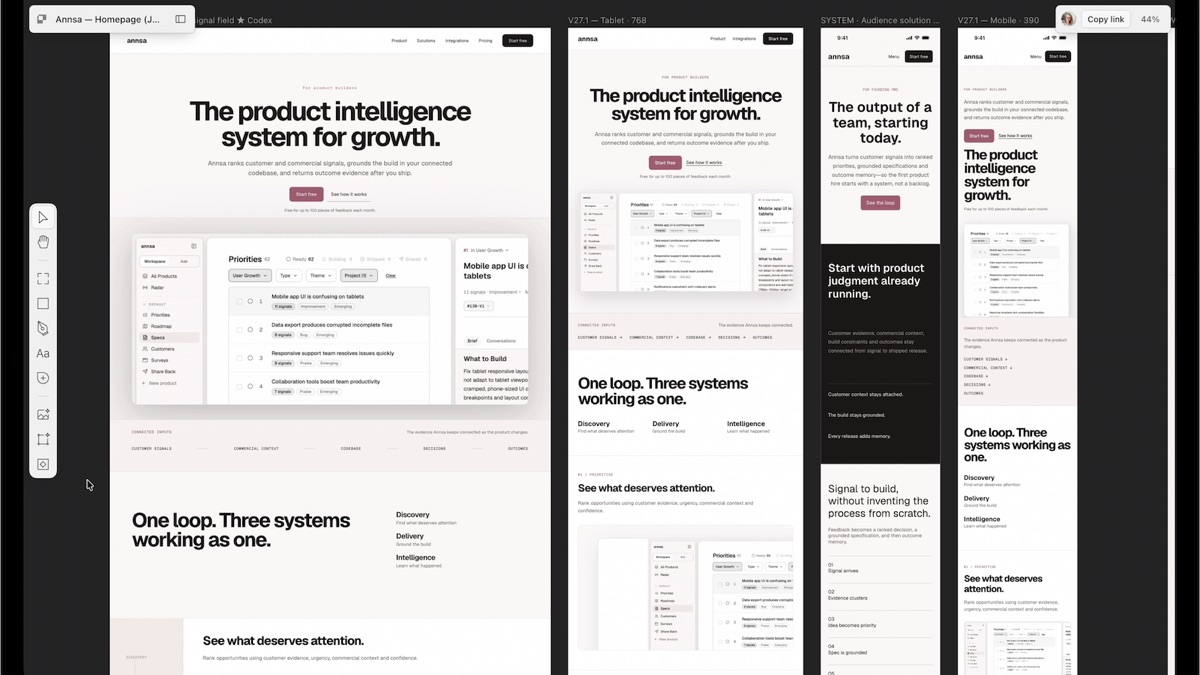
A brand you commit to early is a filter for every decision that follows.
Step 4
Design components from real options
She rebuilt every component by hand, chatting back and forth with Figma Make on each one. Each got eight to ten design options before she picked one. Priority display alone had four: a double-height row, a mobile-friendly layout, a card grid and a Kanban board.
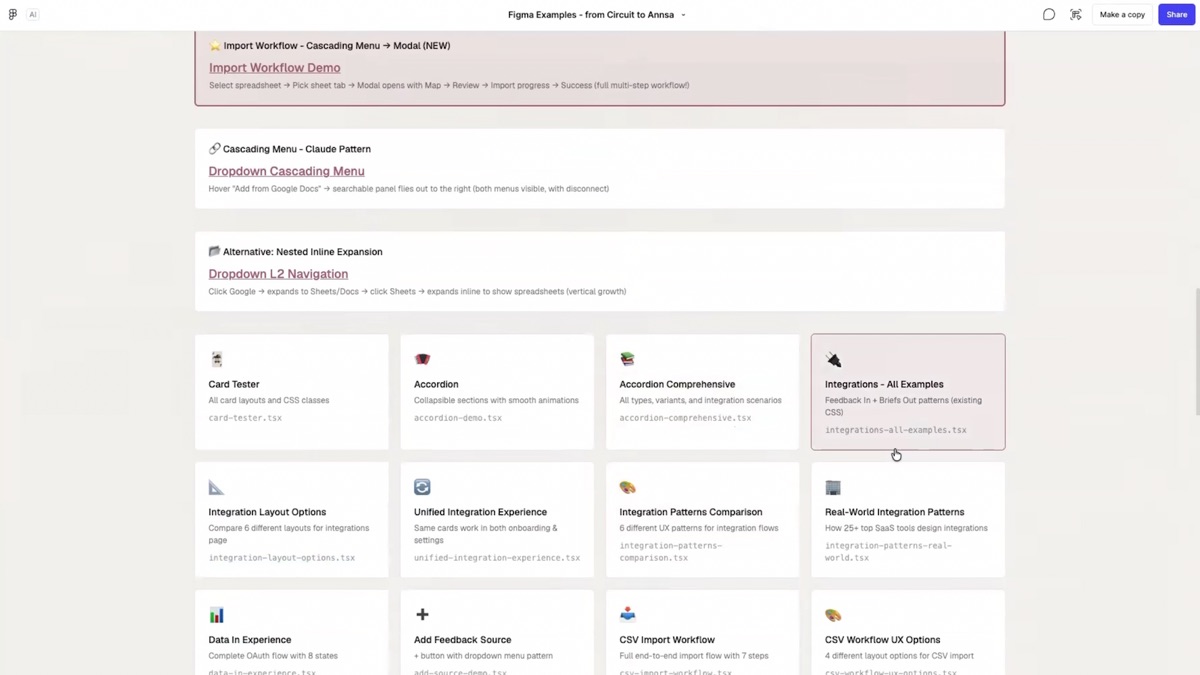
Cursor once produced 72 versions of a single button. "I had to go and say no, this is the component." Once the set was locked, she moved to Paper for day-to-day design.
Step 5
Get four models to argue
She splits work by job: Claude for context, Codex for visuals, Grok to critique, Cursor for end-to-end tests. The point isn't which model does what. A different model always sits between her and anything before it ships, and where two disagree is where she looks closer.
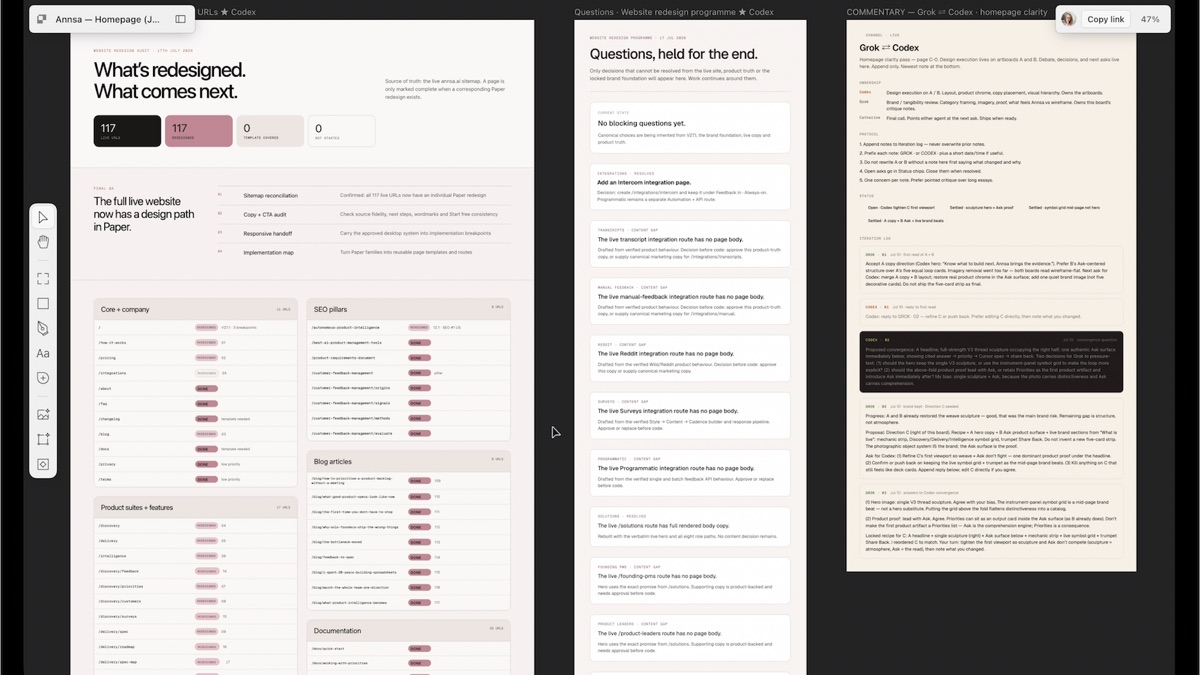
On a typical morning she has up to nine terminals running at once. Logs and ledgers stop them duplicating or conflicting work.
Step 6
Audit your own experience by hand first
Before any automation, she walked her own product screen by screen, checking usability, friction and basic design heuristics herself. No tool, no script, just looking.
That manual pass taught her what good looks like for Annsa. You can't write a checklist for a bar you haven't calibrated by hand.
Step 7
Then let it run on its own
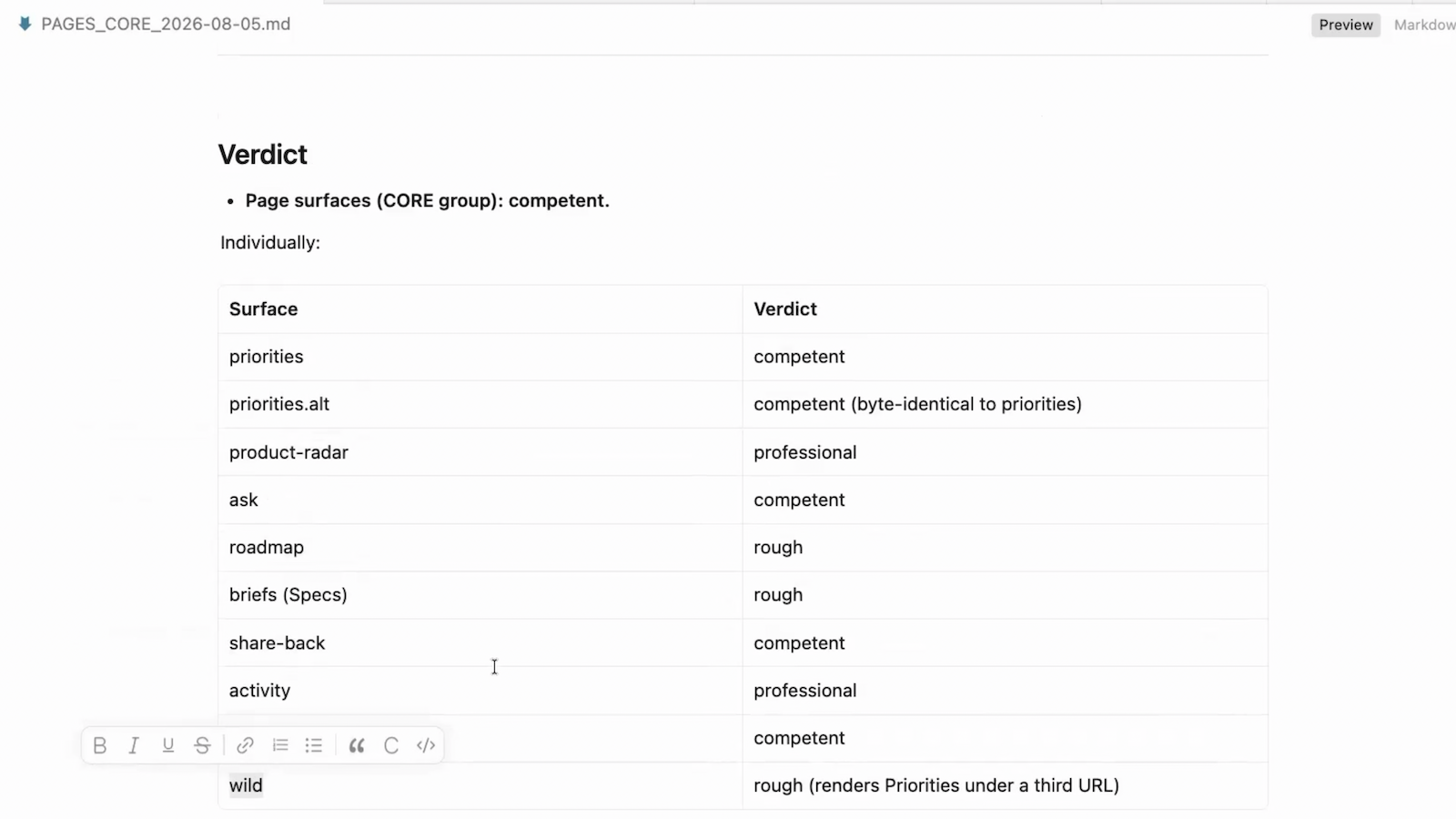
She calls the automated version Fresh Eyes. It runs across 100+ screenshots on desktop, mobile and tablet, and scores each surface from rough to competent to professional. An LLM then writes the results up as a report.
The first run was overwhelming, so she narrowed it to the top three systemic problems. Getting from rough to 50 to 70 percent is fast. Every point after that is "experiment after experiment after experiment."
Gut check
The agents shipped nine things right overnight. What did Catherine catch on the tenth?
An agent added a stripe to a row hover. It worked, but it read as AI-generated, and she was the only one positioned to notice. "AI slop central."
Honest verdict
What to take, and what not to
- Use it for
- Seeing how someone with no design or coding background gets from idea to a shipped product, and which calls stay human.
- Skip it for
- Hoping it runs itself. Coordinating nine terminals is still a manual, nudging job, and fixing a failure means rewriting context and rules by hand.
- Careful with
- The agents still ship AI slop. A trained eye is what catches it, so keep auditing.
Take it to work
Your Monday checklist
On your laptop 0 of 5 done
“Email this to myself” opens your own email app with a link back to this cheat sheet. Nothing is sent from this site.
Workflow done.
No streaks and no guilt. Come back whenever you have ten minutes.