
Five Motion Graphics, Zero After Effects
Describe the animation in plain English and an open-source skill builds the Lottie file. Every prompt, and every wall I hit.
 The result
Motion design means After Effects and hand-keyed frames.
Done this kind of thing before? Trying it yourself.
Try it yourself
Make one lower third, your way
Here's the goal. Install the skill, hand the prompt to Claude Code or Codex, and work it out. The steps below open on a hint if you get stuck.
- The goal
- A reusable name lower third with the name editable from the side panel.
- Time
- About 10 minutes
Using the text-to-lottie skill, create a name lower third. Fade in "[FIRST NAME]" on the first line, then "[LAST NAME]" on the second line, all caps, set in Inter Medium. As the letters appear, apply a horizontal motion blur. After both lines land, fade in a black gradient overlay from the bottom of the frame. Make the name text editable from the side panel, not hardcoded.
Check your result
- The letters fade in with a horizontal motion blur
- The gradient fades in from the bottom after both lines land
- You can change the name without rebuilding it
Step 1
Install the skill and build a clock
text-to-lottie is an open-source skill for Claude Code and Codex. You describe an animation in plain English, and the agent writes the actual Lottie file, the lightweight JSON format most product teams already use. Make a folder, open Terminal in it and run:
mkdir text-to-lottie && cd text-to-lottie
npx skills add diffusionstudio/lottie
Then open Claude Code in the same folder and paste a prompt. It was my first time, so I used the one Konstantin shared for this exact build, almost word for word:
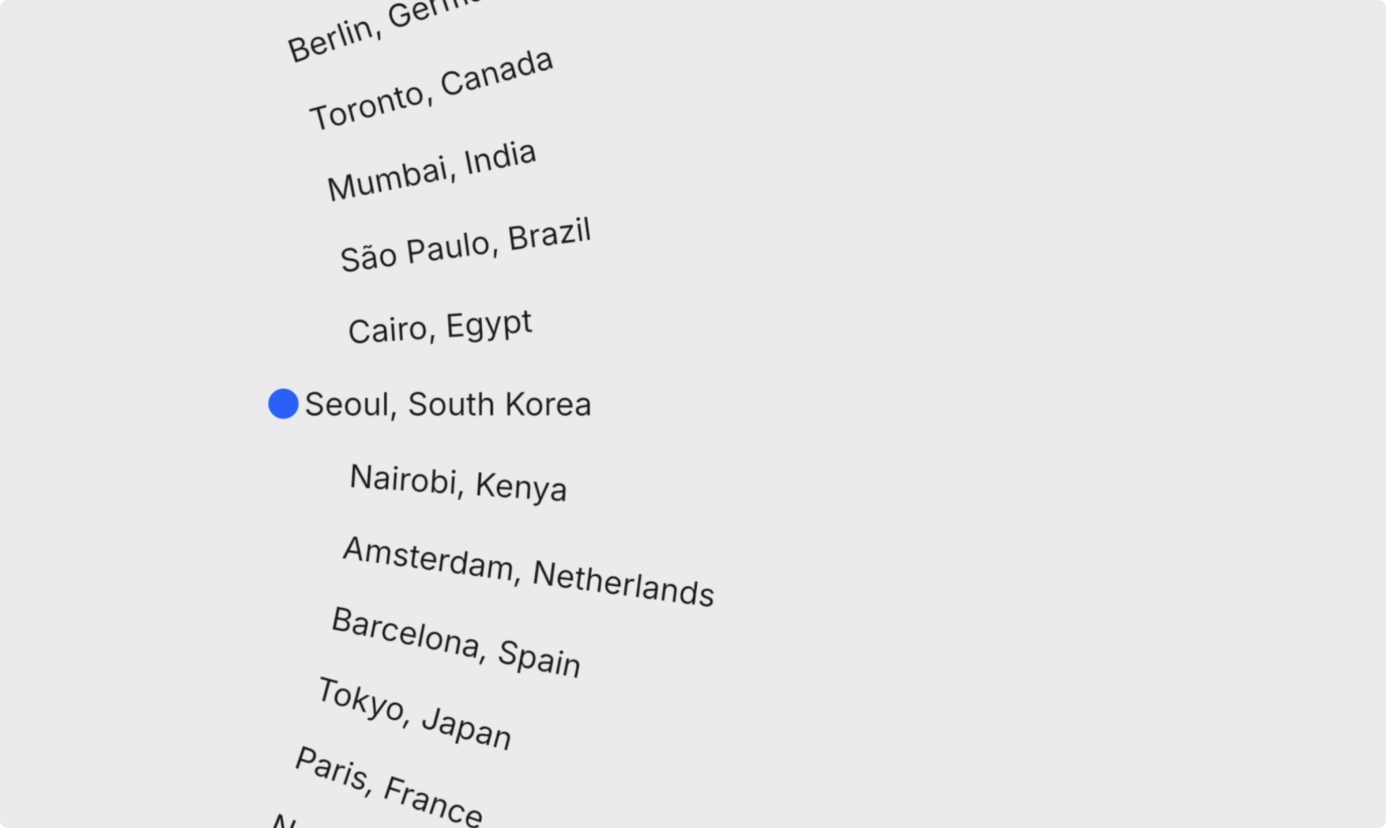
Using the text-to-lottie skill, create a "revolver" / rotating-clock animation.

Composition: 512×512, background #EEEEF0, dark text #1A1A1E, accent #2F6BFF.

A small blue dot (~18px) sits at the far left, vertically centered (around x=30).

A vertical list of "City, Country" labels (~16 of them) orbits a SHARED pivot point that is far off-screen to the LEFT, with a virtual radius LARGER than the composition (~650px). So they move as one giant rigid wheel in a fixed shared coordinate system. Each label is oriented along its radius, so the label currently at the dot's height is perfectly horizontal and the others fan out, tilting more the further they are from the dot (rising to the right above, falling to the right below). Labels recycle/wrap off-screen so it's a SEAMLESS loop.

Motion: it ticks like a clock hand: ease forward by exactly one slot, briefly rest, repeat, but mostly-moving (~2/3 of each tick spent gliding, ~1/3 resting) with a soft easeInOut, so it reads as nearly continuous rather than a hard stutter.

Snap: while a label rests at the dot's height, nudge it a bit further LEFT toward the dot, then release it as it ticks away.

Expose live color controls for background, text, and dot.
One fix: the blue dot covered the city names. A screenshot and "center the dot against the city names" sorted it.
Step 2
Get it to render on a plain web page
Putting it on a plain HTML page showed nothing. Three things were going on: the exported file was named animations.json, so I renamed it to match my HTML. Then a CORS error, so I installed the Live Server extension in VS Code and clicked Go Live. Then a blank animation: lottie-web doesn't embed fonts the way the preview player does, so it expects the font to be installed already. An @font-face rule fixed it:
@font-face {
  font-family: 'Inter';
  src: url('./fonts/Inter-Regular.woff2') format('woff2');
  font-weight: 400;
  font-display: swap;
}
You can skip all of this debugging. The download in the checklist has the finished HTML file with fonts and CORS already fixed.
Step 3
Animate your logo three ways
I cropped each word of my logo, "Made," "By" and "Chip," into separate SVGs in Figma first, so Claude could read real path data instead of guessing at shapes.
Version 1, spring bounce:
Reveal the words "Made", "By", and "Chip" one at a time, top
to bottom. Each word should scale up from 90% with a spring
overshoot, slightly past 100%, then settle. The moment "Chip"
lands, draw the circular arrow on with a write-on stroke
effect, tail to head. Finish with the whole logo doing a small
rotation snap to lock the reveal into place.
Version 2, continuous paint stroke:
Same three words and arrow, but animate them as if the whole
logo is being painted in real time with a single continuous
stroke: "Made", then "By", then "Chip", then the arrow, using
a path-driven write-on mask with linear easing so the brush
speed never changes. Once the arrow finishes, pop the whole
logo up by 10% to land the reveal.
Version 3, near-simultaneous:
Fade and scale in all three words together, staggered by only
a few frames, while the circular arrow rotates in from the
bottom-left with a slight overshoot before settling into place
under "Chip".
One fix across all three: the logo was cropped at the start of the frame, so I asked Claude to enlarge the canvas.
Step 4
Build a reusable lower third
Something more practical: a reusable lower third for the start of each section in a video. I designed it in Figma and exported the SVG so Claude could match the layout exactly.

Fade in "CHIP DONG" on the first line, then "LIM" on the
second line, all caps, first letter of each word slightly
larger, set in Inter Medium. As the letters appear, apply a
horizontal motion blur, like a camera catching fast movement.
After both lines land, fade in a black gradient overlay from
the bottom of the frame. Make the name text editable from the
side panel, not hardcoded.
Side-panel editability is the detail that matters. It's a template: a new name for a new video is a text-field edit, not a rebuild.
Step 5
Build a Don't Blink kinetic type
Fast-cut kinetic typography, the style the motion world calls "Stomp," inspired by Apple's "Don't Blink" commercial from nine years ago.
Build a kinetic typography sequence: "This" slams in oversized,
then shrinks and fades out the instant "is" appears. "Apple's"
recenters when "Big" joins it, and recenters again when
"Launch" joins. The whole phrase should re-center every time a
new word is added, not just extend to one side. Animate a
number counter that rolls up rapidly like an odometer instead
of cutting straight to the final value. Have "sec" morph into
"seconds" using the same re-centering push, so the extra
letters appear to shove the rest of the line out of the way.
Use a hard, snappy ease-out throughout. Make every word
editable from the side panel.
1. Slam and vanish. "This" slams in huge, then shrinks and fades as "is" pops in. 2. Constant recentering. The whole phrase re-centers every time a word joins, so your eyes stay in one place. 3. Odometer counter. The digits roll up instead of cutting to the final number. 4. Word morph. "Sec" stretches into "seconds," pushing the line out of the way.
Swapping "Apple's" for "text-to-lottie" looked off. Lottie can't re-measure text at runtime, so a replacement word sits in the old word's fixed position. Worth knowing before reusing it with a much longer word.
Step 6
Build a brutalist marquee
Less about a use case, more about testing what's possible: filled and outlined text scrolling in two directions at once. I sketched the stages in Figma and exported each as a reference SVG.
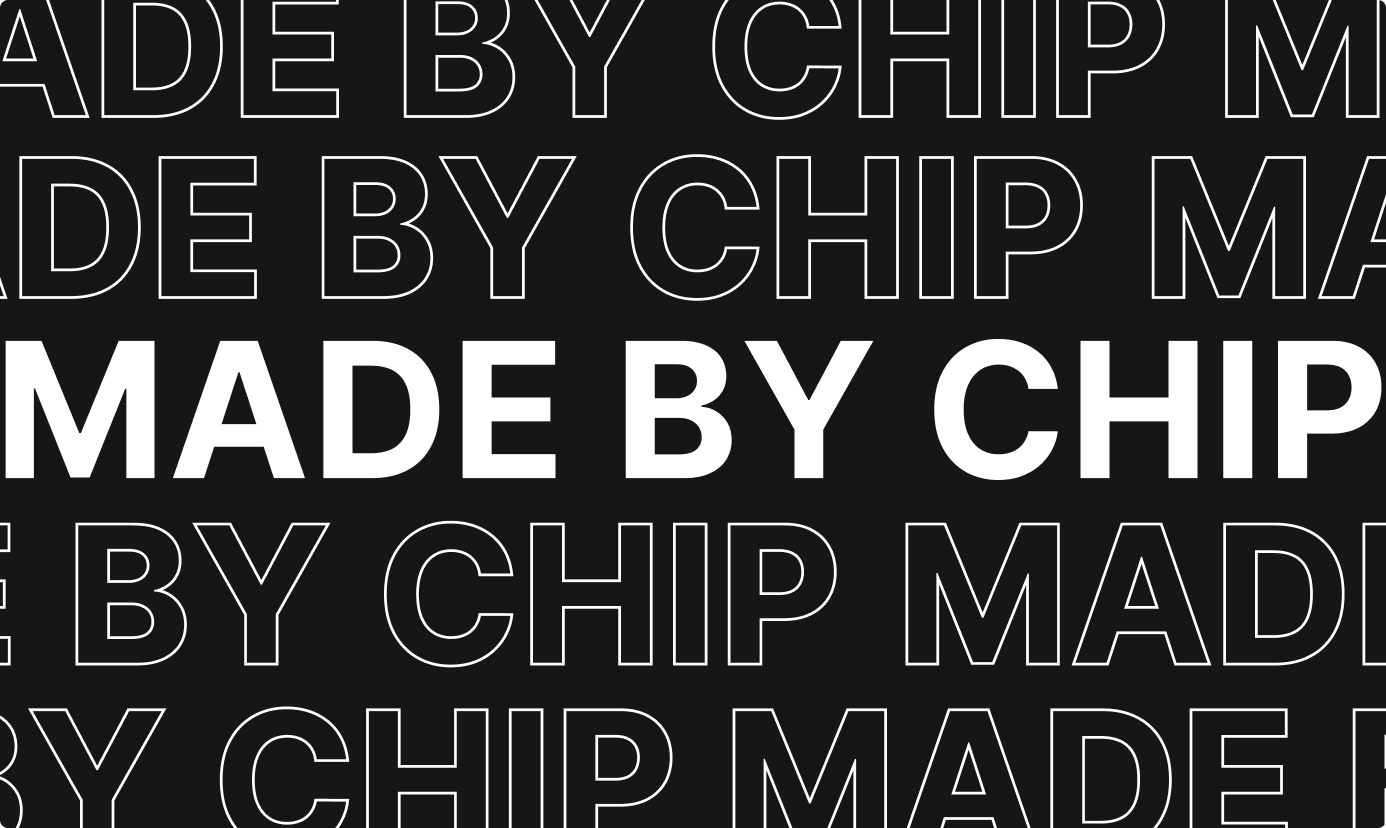
Fade in solid white "MADE BY CHIP" centered on black with a
standard ease-in-out. Once settled, split it into two outlined
copies that move apart vertically, one up, one down, using a
snappy ease-out-back spring for a slight overshoot. A beat
later, repeat that split to add two more outlined rows at the
outer edges. Once all four outlined rows exist, turn them into
a continuous horizontal marquee: outer rows scroll one
direction, inner rows scroll the other, on strict linear easing
so the speed never wavers. Keep the solid center text perfectly
still throughout.
Two bugs, both from the source SVG: the outline text had no M path, and the A and P overlapped. Re-exporting from Figma with the letter shapes unioned, and using plain Inter for the solid text, fixed both.
Gut check
Your Lottie is blank on a plain web page. What's the likely cause?
lottie-web expects the browser to already have the font, unlike the preview player. An @font-face rule fixes it. Rename the JSON file and use a local server to clear the other two problems.
Honest verdict
When to use it, and when not to
- Use it for
- Templated, parameter-driven motion: logo reveals, lower thirds, title cards and simple kinetic type. Once a template exists, the next variant is a prompt, not a rebuild.
- Skip it for
- Original creative direction, complex character animation or broadcast-grade campaign work. Someone still decides when motion is the right call at all.
- Careful with
- The templates aren't always plug-and-play. Expect to nudge things by hand, like the word centering in Don't Blink.
Take it to work
Your Monday checklist
On your laptop 0 of 5 done
One zip: the CORS-proof, font-fixed HTML template, plus every prompt from this tutorial as a copy-paste file. Free, delivered by email.
“Email this to myself” opens your own email app with a link back to this cheat sheet. Nothing is sent from this site.
Workflow done.
No streaks and no guilt. Come back whenever you have ten minutes.