
Ship Consistent User Interfaces With AI
A hands-on workshop on building a simple design system in Paper, so everything your AI builds looks like it belongs together. Do these three things before you arrive and we can start building right away.
- When
- Tuesday 27 October, 6:00 - 9:00 PM
- Where
- ERC Institute
- Led by
- Chip Dong Lim
- Organised by
- AI Power Users
AI builds fast, but every screen comes out a little different. Fonts, colours, buttons, icons and spacing, written down once in Paper, keep them all the same.
Get set up in 3 steps
Please finish before the day-
1
Install Paper Desktop
Download the app for your computer, open it once and sign in. It's free.
You only do this once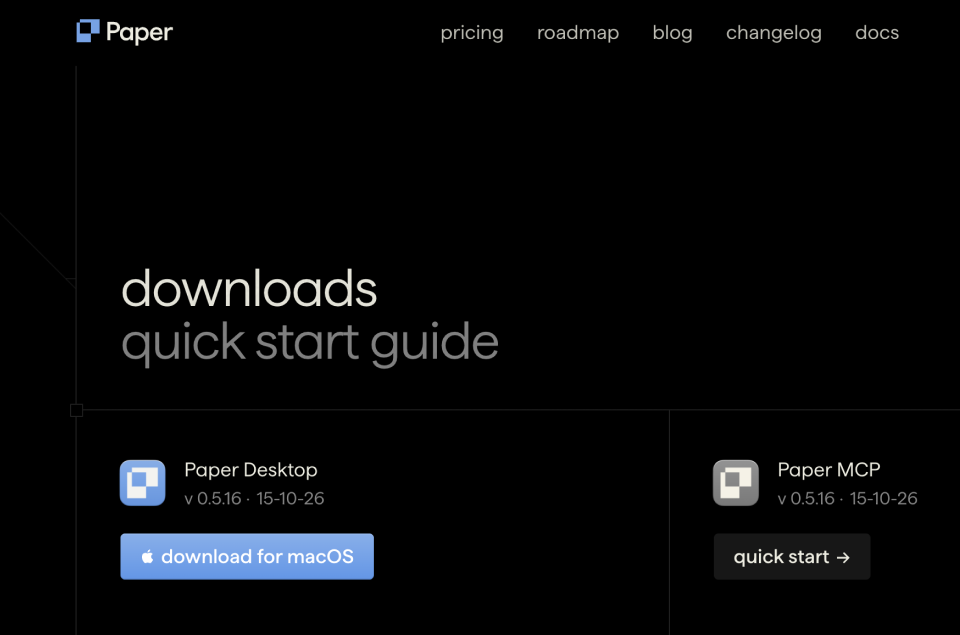
Paper's downloads page. Pick the download for your computer. Paper DesktopFor Mac (Apple Silicon, M1 or newer) and Windows (64-bit)Download -
2
Connect Paper MCP
This lets Claude Code or Codex draw in Paper for you. With Paper Desktop open and a file open, click Connect more agents in the right sidebar, choose your agent and add it, as in the clip. Can't see the panel? Click an empty part of the canvas first.
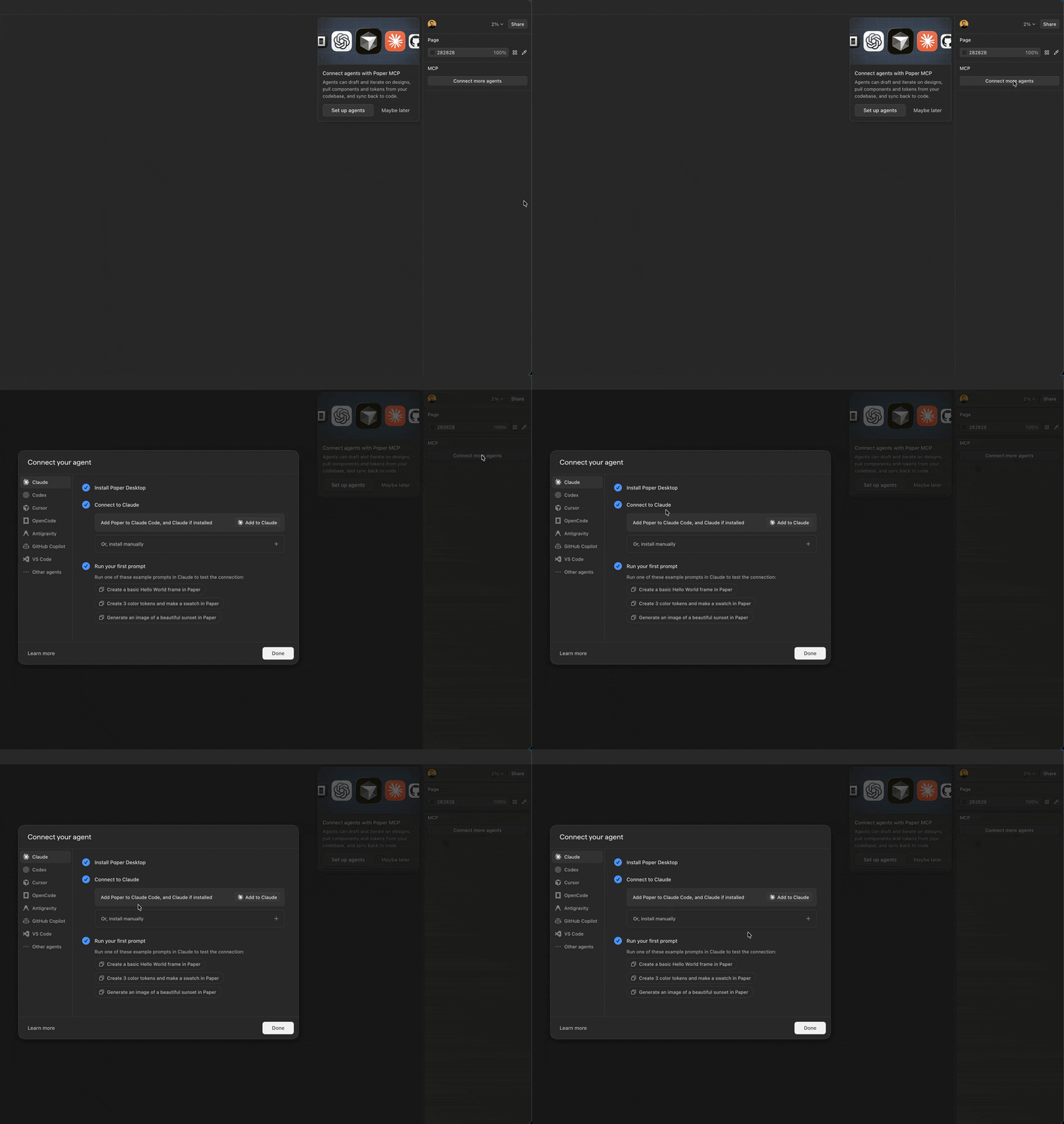
The Connect more agents button sits in the right sidebar of Paper Desktop. Test it in your agentCreate a basic Hello World frame in Paper.
-
3
Add Paper Snapshot
It copies any live website into Paper as editable layers. Add it from the Chrome Web Store, then pin it to your toolbar so it's one click away.
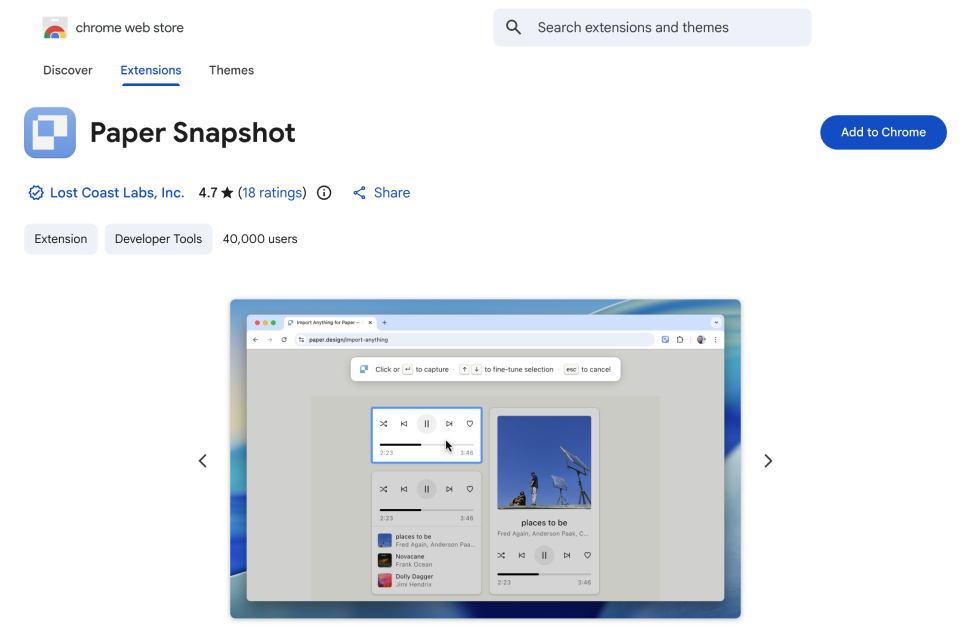
Paper Snapshot on the Chrome Web Store. Click Add to Chrome. ChromeInstall from the Chrome Web StoreSupportedEdge, Brave, Arc, OperaChromium browsers can add Chrome Web Store extensions. Paper hasn't listed them, so install it early and check.Should workSafari and FirefoxPaper has no version for these. Use Chrome for the workshop.Not available
- Which AI do I need?
- Claude Code or Codex, installed and signed in. Both need a paid plan. A free Claude or ChatGPT account won't work.
- Is Paper free?
- Yes, Paper Desktop is free to download.
- On an Intel Mac?
- Paper's download page lists Apple Silicon only, so check that your Mac is M1 or newer.
- MCP not connecting?
- Restart your Claude Code or Codex session, and keep a file open in Paper.
- Can't find the panel?
- Click an empty part of the canvas so nothing is selected, then look at the right sidebar.
- Phone or tablet?
- They won't work. Bring a laptop, fully charged, with its charger.
- Need a product?
- Bring your own if you like. A sample is provided if you don't have one.
- The workshop
- Ship Consistent User Interfaces With AI on Luma
- Paper Desktop
- Download for Mac or Windows
- Paper MCP
- Documentation and a video walkthrough
- Paper Snapshot
- Chrome Web Store and how to use it
All three done? See you there.
Tuesday 27 October, 6:00 - 9:00 PM at ERC Institute. Bring your laptop and charger.